Fix My Speaker with Sound
Select Cleaning Mode
Clean & Eject
0:00
💡 Keep phone facing down at 60–80% volume
How to Fix Your Speaker in 4 Steps
Acoustic sound waves create mechanical vibrations that fling water droplets and dislodge dust — no apps or disassembly needed.
Disconnect Bluetooth
Unpair wireless headphones and earbuds so sound plays directly through your device's built-in speaker.
Pick Your Mode
Choose Water Eject for a fresh splash, Sound Clean for dust & lint, or Deep Clean for a full-spectrum sweep.
Point Speaker Down
Set device volume to 60–80% and point the speaker grille downward so gravity helps expel droplets and debris.
Play & Repeat
Press Play and let the calibrated frequency cycle complete. Run 2–3 cycles for stubborn water or heavy dust.
Common Speaker Problems Fix My Speaker Solves
Whether it's muffled phone audio, weak bass, or water in your speaker grille — our tuned frequencies restore clarity fast.
Muffled or Distorted Audio
Water droplets trapped in the speaker cone damp diaphragm movement, causing muffled or hollow sound. Water Eject vibrates the membrane at optimal displacement frequency to expel moisture.
Low Volume After Water Exposure
Moisture sitting across the speaker grille physically blocks acoustic projection. Running a 30s cycle clears the blockage and instantly restores full volume.
Crackling or Buzzing Noise
Dust and pocket lint trapped in the speaker chamber vibrate against the cone. Our full-frequency sweep shakes loose debris and clears the interference.
Clogged Ear Speaker & Upper Earpiece
The small earpiece speaker at the top of your phone clogs easily with earwax and dust, making calls muffled. Our higher-frequency sweep specifically cleans small drivers.
Weak or Muddy Bass Response
Bass requires the largest cone movement. Debris or moisture dampens this excursion. The Deep Clean mode frees up the diaphragm so bass notes punch clearly again.
Phone Dropped in Water (Emergency)
Acting within minutes prevents corrosion. Running Water Eject with the speaker facing downward pushes liquid out before it penetrates deeper components.
Ready to clear your speaker?
Choose a cleaning mode above or tap below to jump right to the tool.
Start Speaker CleanerThe Science of Sound-Based Speaker Cleaning
How acoustic frequencies physically eject moisture and dislodge trapped dust.
Water Eject — 165 Hz
A tuned 165 Hz sine wave forces maximum diaphragm excursion. The large physical movement breaks water surface tension and pushes droplets out through the grille holes.
Dust Sweep — 200–10,000 Hz
Sweeping across low, mid, and high frequencies vibrates different sections of the speaker cone, dislodging fine dust, pocket lint, and debris particles.
Vibration & Haptic Assist
Combines acoustic wave pressure with hardware vibration motors (on supported phones) for a dual-action mechanical push against stubborn contamination.
Works on Every Device and Brand
Runs in your browser via the Web Audio API. 100% compatible with phones, laptops, and earbuds.
Fix My Speaker vs. Other Methods
Why sound-wave cleaning is the safest and fastest first response.
| Method | Time | Cost | Effectiveness | Risk |
|---|---|---|---|---|
| Fix My Speaker (Sound Waves) | 1–2 min | Free | 95% | None |
| Rice Method | 24–48 hrs | ~$2 | 30% | Low (Dust residue) |
| Compressed Air | 10–15 min | $10–20 | 60% | Medium (Can tear cone) |
| Repair Shop | 1–3 days | $50–150 | 95% | Low |
Myths vs. Facts About Wet & Muffled Speakers
Avoid dangerous internet myths that can permanently damage your hardware.
Common Myths to Avoid
Rice only absorbs surface moisture slowly. It leaves fine starch dust that gums up damp speaker grilles.
Excessive heat warps the delicate speaker diaphragm and melts waterproof adhesives.
Sudden high volumes on a wet cone can over-extend and permanently tear the speaker membrane.
Proven Facts That Work
Apple Watch and audio engineers use low frequencies to safely oscillate the cone and push water droplets out.
Clearing water within the first few minutes prevents liquid from creeping into deep speaker coils.
Silica gel packets absorb residual moisture 5x faster than rice without leaving harmful dust residue.
Safety Guidelines & Limitations
What sound cleaning can do: Safely eject water droplets, loosen dry dust and lint, and restore muffled volume caused by grille obstructions.
What it cannot do: Sound vibrations cannot repair physically torn speaker diaphragms, fix blown coils, or repair internal motherboard short-circuits. If sound remains severely distorted after 24–48 hours of thorough drying, professional hardware inspection is recommended.
Pro Tips for Maximum Cleaning Results
Get the most out of every speaker cleaning session.
Too low won't generate enough force; 100% max volume can stress damp cones. 70% volume is ideal.
Gravity is your best friend. Hold the device so droplets and dust fall out instead of staying inside.
Start with Water Eject for bulk moisture, then run Sound Clean or Deep Clean for fine dust dislodging.
Use a dry microfiber cloth to dab away expelled water from the grille before the next cycle.
If phone calls sound faint, use higher frequencies or Earbud Cleaner mode on the top earpiece.
Running a 30s Sound Clean cycle once a week prevents pocket lint buildup from accumulating.
More Free Audio Tools
Full suite of free tools for testing and maintaining your speakers.
Water Eject
Force trapped water out
A focused low-frequency tone (the classic 165 Hz style eject sound) that vibrates water droplets out of your speaker after a splash or drop.
Open toolSpeaker Test
Check left, right & balance
Play test tones and stereo pings to confirm both channels work, check balance, and spot a blown or crackling speaker.
Open toolTone Generator
Any frequency, any waveform
A precise signal generator from 20 Hz to 20 kHz with sine, square, triangle, and sawtooth waves for testing, tuning, and cleaning.
Open toolEarbud & AirPods Cleaner
Clear earbud mesh & drivers
Gentle cleaning tones tuned for the small drivers in earbuds, AirPods, and in-ear headphones to shake loose earwax dust and water.
Open toolLatest Speaker Guides
Expert guides and troubleshooting tutorials.
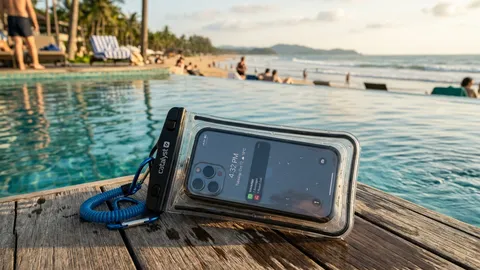
How to Protect Your Phone Speakers From Water and Dust Damage
Prevent water and dust damage to your phone speakers with smart cases, IP ratings, safe habits, and routine sound cleaning. A complete protection guide.
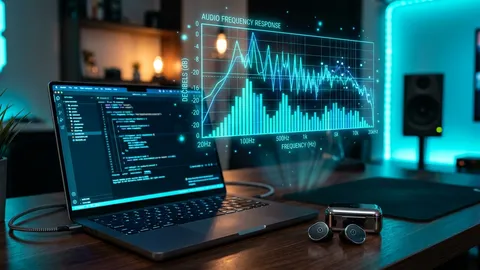
How to Test Your Phone and Laptop Speakers the Right Way
Learn how to test phone and laptop speakers: check left/right balance, stereo imaging, frequency response, and find rattles using free browser sound tools.
How to Fix a Crackling or Distorted Phone Speaker (Guide)
Phone speaker crackling or distorting? Learn the real causes—water, debris, volume, software—and how to diagnose and fix a crackling speaker step by step.
Frequently Asked Questions
Everything you need to know about fixing your speaker with sound.
Frequently asked questions
Does playing a speaker dust cleaning sound really clean my speaker?+
Yes — for water and loose debris. Low-frequency tones make the speaker diaphragm vibrate, which pushes trapped water droplets out of the grille and shakes loose dust and lint. This speaker cleaning sound technique won't fix physical damage or deeply embedded grime, but it's remarkably effective right after a splash or when dust has accumulated over time.
What is a speaker dust cleaning sound?+
A speaker dust cleaning sound is a precisely calibrated audio tone — typically a frequency sweep between 100 Hz and 10,000 Hz — that vibrates the speaker diaphragm to physically shake loose dust, lint, and fine debris trapped in the speaker grille. Fix My Speaker uses this technique combined with vibration to clean both mobile and desktop speakers without any physical tools.
What frequency gets water out of a speaker?+
Low frequencies work best. The popular water-eject sound sits around 165 Hz, and sweeps in the 100–500 Hz range are very effective because they create the largest cone movement. Our Water Eject and Deep Clean modes are tuned to this range.
What about speaker cleaner sound at 10,000 Hz, 20,000 Hz, or 30,000 Hz?+
Different frequencies serve different purposes. A speaker cleaner sound at 10,000 Hz targets fine particles embedded in the speaker mesh. Frequencies around 20,000 Hz reach the upper threshold of human hearing and address microscopic debris. Our Deep Clean mode sweeps through multiple frequency ranges — from low-frequency water ejection through high-frequency dust dislodging.
Is Fix My Speaker safe for my phone or laptop?+
At sensible volumes (60–80%), yes. Whether you're cleaning a mobile speaker, laptop speaker, or desktop speaker, start low and increase gradually. Avoid running maximum volume for long periods. The tool never touches your files, microphone, or settings — it only plays a speaker cleaner sound.
Do I need to install a speaker cleaner app?+
No. Fix My Speaker runs entirely in your browser using the Web Audio API. Unlike native speaker cleaner apps, there is nothing to download, sign up for, or pay for. It works as a completely free online speaker cleaner tool.
Can I fix my speaker dust cleaning sound on my phone?+
Absolutely. Fix My Speaker works on both iPhone and Android devices. Just open the website in your mobile browser, select a cleaning mode, point your phone speaker downward, and press Play. The vibration dislodges trapped dust, water, and debris.
How do I clean my ear speaker or call speaker?+
The ear speaker (upper speaker) used during calls clogs easily with dust and earwax. Use Fix My Speaker's Earbud Cleaner or Deep Clean mode, which generates higher-frequency tones optimized for smaller drivers to restore clear call audio.
Can Fix My Speaker fix my speaker volume?+
If your low volume is caused by dust buildup or trapped moisture blocking the speaker grille, yes — our speaker cleaner sound can fix your speaker volume by clearing the acoustic path. If volume loss is caused by torn hardware or blown coils, physical repair is required.
Does this work on Samsung, iPhone, and other devices?+
Fix My Speaker works on every device with a browser and a speaker: Samsung Galaxy, iPhone, Google Pixel, Xiaomi, OnePlus, iPads, MacBooks, Windows laptops, and earbuds like AirPods and Galaxy Buds.
It's still muffled after cleaning — what now?+
Repeat the cycle 2–3 times with the speaker pointing down. If it's still muffled, gently brush the outer grille with a soft dry brush. Persistent muffled sound after water submersion may indicate internal liquid that needs 24–48 hours to air-dry with silica gel.